Barcode Scanner
- 4.5
- Rating
- 1.00M
- Installs
- Free
- Price

 Analysis by App-foxy
I approached Barcode Scanner as the kind of utility I might keep installed for one simple reason: I want scanning a barcode to feel quicker than typing its number. In everyday use, that is exactly the standard this app has to meet. It is a free Android app from Cognex Corporation, listed in the Libraries & Demo category, with a clear focus on reading barcodes rather than turning the task into a larger shopping or inventory system.
That narrow purpose is its biggest appeal. I do not have to learn a complicated workflow before trying it. Point the phone at a barcode, wait for recognition, and use the result as needed. The store summary describes barcode scanning as simple, and my impression is that the app is most useful when you want a direct tool instead of a feature-heavy alternative. It has earned a 4.4 average from around fifteen thousand ratings and has passed one million installs, which gives it a substantial user base without changing what the app is meant to do.
What using Barcode Scanner feels like in practice
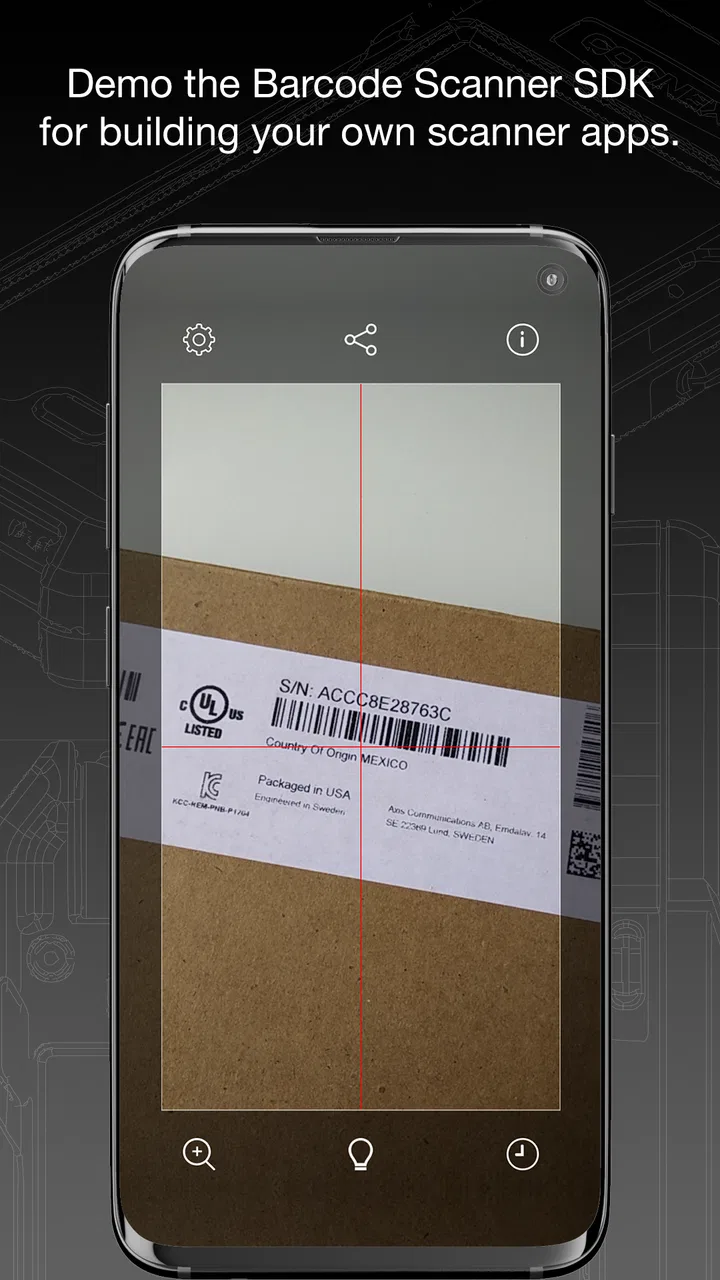
I find the best way to judge Barcode Scanner is to treat a scan as a small, repeatable process: frame the code, read the result, then decide what to do with it. That habit is especially useful when a barcode belongs to a parcel or work item rather than something I plan to buy. It also makes the next question more practical: which settings and phone-level controls are worth checking before scanning regularly?
You May Also Like

 AccuWeather: Weather Radar
AccuWeather Review: A Quick, Clear Forecast for Everyday Decisions
For everyday plans, the best forecast is the one you can understand quickly. AccuWeather makes rain timing, radar, and local conditions easy to act on, with a few trade-offs.

 Hill Climb Racing
Why Hill Climb Racing Still Turns Crashes Into One More Run
A tiny car, a bumpy hill and one more upgrade: Hill Climb Racing keeps resurfacing because its simple chaos makes every near-miss feel personal.

 AliExpress - Shopping App
AliExpress Makes Global Shopping Feel Personal, but Shoppers Bear the Risk
AliExpress turns a global marketplace into a pocket-sized discovery engine. Its reach is useful, its shopping loop compelling, and its trade-offs easy to miss.

 Lords Mobile: Kingdom Wars
Lords Mobile Is a Kingdom-Building Routine, Not a Quick Match
A case-by-case verdict on the building, battles, device demands, and social commitments that make Lords Mobile rewarding for some players and exhausting for others.

 PDF Scanner app - TapScanner
TapScanner Makes Paperwork Easier to Capture, Check, and Share
TapScanner makes scanning with a phone feel less like a rescue operation and more like a dependable step in getting work done. Its capture tools are useful, though not flawless.

 Block Blast!
 Shows How Much a Puzzle Game Can Leave Out
A quiet grid game shows why puzzle players increasingly value instant clarity, repeatable skill and low-pressure play—and where the genre still needs to catch up.
More From Our News Desk
View All News


A focused tool rather than a shopping companion
The first thing I noticed is how easy it is to understand the app’s role. Barcode Scanner is not presented as a full retail assistant, a product catalog, or an inventory manager. That distinction matters. Many scanning apps try to connect the scan to prices, reviews, shopping links, loyalty programs, or personal collections. Those additions can be convenient, but they also make a basic scan dependent on extra screens and services.
Here, I would choose this app when the immediate job is simply to read a code. For example, imagine receiving a box with a barcode and needing to capture the number for a support conversation. I would rather open a focused scanner, position the code inside the camera view, and work with the result than navigate through a shopping-oriented app that assumes I want to buy the item.
That simplicity is also a limitation. If your main goal is comparing prices, identifying products from a broad database, or building a detailed home inventory, a specialist app designed around those tasks may serve you better. Barcode Scanner is strongest when scanning itself is the destination, not merely the first step in a larger commercial workflow.
Where it fits in the Libraries & Demo category
The category gives a useful clue about the app’s character. It feels closer to a practical demonstration of barcode recognition than to a polished consumer marketplace. That makes it appealing for curious users, developers testing a scanning concept, students exploring how camera-based recognition works, or anyone who occasionally needs to read a code without committing to a broader platform.
I would not judge it by the standards of a stock-management suite. Those products usually revolve around records, quantities, labels, exports, and team processes. This app’s value is more immediate: it can help bridge the gap between a physical printed code and information you can use on your phone. That is a small job, but a useful one when it removes manual typing.
Trust starts with a limited promise
For me, trust is easier to evaluate when an app makes a modest promise. Barcode Scanner’s purpose is understandable, and the developer is identified as Cognex Corporation. I do not have to interpret a long list of lifestyle features or wonder why a scanner needs access to unrelated parts of my digital life. The narrower the task, the easier it is to notice whether the app stays focused.
It is also free and rated for Everyone, so the barrier to trying it is low. That does not automatically make every privacy or usability question disappear, but it does mean I can evaluate the actual experience without first deciding whether a subscription is justified. The app has been available since February 29, 2012, and its current release is version 5.0.16 (218), which shows that it is not a brand-new experiment.
Still, longevity should not be confused with a guarantee that every device will behave identically. Camera quality, lighting, Android behavior, and the condition of the barcode all affect scanning. I would treat the app as a practical tool, not as a promise that every damaged or unusual code will be recognized instantly.
Controls I would check before regular use
The most important control for a barcode scanner is the camera. I would expect to grant camera access only when I intend to scan, and I would review that permission in Android settings if I stopped using the app. This is a simple habit, but it gives me a clear boundary: the app needs the camera for its central task, while I remain able to manage that access at the operating-system level.
I also pay attention to what happens after recognition. A scan can be useful without automatically opening a website, launching a purchase page, or sending the result elsewhere. Before tapping any action attached to a decoded result, I would read the destination and decide whether it is relevant. The scanner can identify a code, but I remain responsible for judging what the code leads to.
That separation is one of the most practical trust habits with this type of app. I would use the camera to capture the code, inspect the displayed result, and only then choose whether to copy, search, or open anything. It prevents a quick scan from becoming an automatic visit to an unfamiliar destination.
Data-sensitive moments are usually outside the scan itself
Barcode scanning can look harmless, but the object in front of the camera may reveal more than a product number. A parcel label, workplace document, prescription package, event ticket, or membership card can contain personal or sensitive information. I would avoid casually scanning such material in a public place, especially if other details are visible in the camera frame.
My practical approach would be to place the item on a clear surface, frame only the code, and move other labels or paperwork out of view. This is not about assuming that the app misuses anything; it is about reducing exposure at the moment of capture. Good privacy practice begins with what the camera can see, not only with what happens after recognition.
I would be especially careful with codes printed on tickets, access passes, and account documents. A readable code may be enough for someone else to retrieve information or use the associated credential, depending on the system behind it. Barcode Scanner can be useful for checking a code, but it should not encourage treating every barcode as ordinary product packaging.
Another sensitive moment comes after the result appears. If I copy a decoded number into a message, note, browser, or shopping service, the information has moved beyond the scanner. I would therefore avoid pasting private codes into random websites simply to see what they contain. The app can help me read the pattern; it cannot make the next destination trustworthy.
How I would handle an unreliable scan
When a scan fails, I would first improve the physical conditions rather than repeatedly tapping the screen. I would flatten a curved package, reduce glare, move the phone slightly farther away, and make sure the entire barcode is visible. A cracked label or a low-contrast print may be the real problem. This is a small but important distinction: failure to recognize a code does not necessarily mean the app is broken.
Lighting deserves particular attention. Direct reflections on glossy packaging can hide the alternating bars, while a dark room can make it difficult for the camera to focus. I would rotate the item instead of shining the phone directly at a reflective surface. If the code is tiny, I would adjust distance gradually rather than relying on aggressive digital zoom, which can make the pattern less clear.
I would also keep a manual fallback. If the barcode is printed beside a human-readable number, typing that number may be faster than fighting a damaged label. For occasional use, this is a sensible trade-off. A dedicated inventory application may offer more ways to correct or organize failed scans, but a focused scanner is still convenient when the code is clean and the task is brief.
Everyday uses beyond shopping
Shopping is the obvious scenario, but it is not the only one. I could use the app while sorting a collection of boxed items, checking whether two packages carry the same code, or capturing a code before recycling the packaging. In a small office, it might help someone read labels on equipment without manually transcribing a long sequence of characters.
There is also a useful handoff workflow. I can scan a code, verify the displayed text against the printed label, and then pass the confirmed value into the app or document where it belongs. That second visual check is worth doing when a single wrong character could identify the wrong item. Recognition saves effort, but it should not replace verification in a work process.
For a family member who finds shopping apps confusing, a straightforward scanner may be easier to explain: open it, point at the code, check the result, and stop. I would still show them how to close the app and review camera access, because ease of use and control should go together.
How it compares with the usual alternatives
The closest alternative is often the phone’s built-in camera or a search app with visual recognition. Those tools may be more convenient because they are already installed, but they can also interpret a barcode as part of a wider image-search experience. If I want a dedicated scanning action without unrelated suggestions, Barcode Scanner has a clearer purpose.
On the other hand, retail-focused scanners can be better for product discovery. They may connect scans with prices, reviews, shopping lists, or store information. I would choose one of those when the result needs to become a buying decision. Barcode Scanner makes more sense when I do not want a commercial layer deciding what I should do next.
Inventory applications are another step up in complexity. They are preferable for repeated business use, shared records, stock counts, and reporting. The trade-off is setup time and a heavier interface. For a one-off scan or a small personal task, that extra structure may slow me down rather than help.
There is no universal winner here. The right choice depends on whether the barcode is the final piece of information I need or merely an entry point into a catalog, database, or workflow. Barcode Scanner earns its place when speed and focus matter more than organization.
Who should install it, and who should skip it
I would recommend trying it if you need an uncomplicated Android scanner, prefer a focused utility, or occasionally handle labeled objects and want to avoid typing. It is also a reasonable option for people who want to inspect a code before deciding whether to search for it elsewhere. The free price makes experimentation easy, and the Everyone rating keeps the intended audience broad.
I would skip it if you expect a complete product-information service, automatic price comparison, warehouse management, or a shared inventory system. Those needs call for a more specialized tool. I would also avoid relying on it as the only method for critical identification when a scan result must be perfect; in that situation, I would compare the result with the printed number and use a second verification step.
Users on older phones should note that the minimum operating-system requirement is Android 5.0. That still covers a wide range of devices, but compatibility alone does not guarantee a pleasant camera experience. A phone with slow autofocus or a weak camera may make any barcode app feel less responsive.
My final view after weighing convenience and control
Barcode Scanner succeeds because it does not need to turn a small task into a large experience. I like the idea of opening a dedicated tool, scanning a clean code, checking the result, and deciding what happens next. That user-controlled sequence is more trustworthy to me than an app that immediately pushes me toward shopping, registration, or sharing.
Its limitations are equally clear. Recognition depends on the physical code and the phone camera, and the app is not the best answer for cataloging products or managing stock. Anyone handling sensitive labels must also think carefully about framing, copied results, and where the decoded information goes afterward.
My cautious recommendation is therefore specific: use Barcode Scanner when you want a focused reader, not a complete barcode ecosystem. From Cognex Corporation, it remains a sensible free utility for straightforward Android scanning, provided I keep the camera permission under control, verify important results, and treat every decoded code as information that deserves a deliberate next step.
FAQs for Barcode Scanner
01What features does the Barcode Scanner app offer?
The Barcode Scanner app offers a range of features including scanning and decoding barcodes quickly and accurately. It supports various barcode types such as QR codes, UPC, EAN, and more. Additionally, it allows users to create their own QR codes for sharing contact information, URLs, and other data.
02Is the Barcode Scanner app free to use?
Yes, the Barcode Scanner app is free to download and use. However, it may offer in-app purchases or ads to support its development. Users can choose to pay for an ad-free experience or access premium features if available. Always check the app store for details.
03How secure is the Barcode Scanner app?
The Barcode Scanner app is designed with user privacy in mind. It requires minimal permissions, typically accessing the camera for scanning purposes. It does not collect or store personal data without user consent. Always ensure you download the app from a trusted source to avoid security risks.
04Does the Barcode Scanner app work offline?
Yes, the Barcode Scanner app can scan barcodes offline, as it primarily relies on the device's camera to capture and decode barcode information. However, accessing additional information linked to the barcode, such as product details or web content, may require an internet connection.
05Can the Barcode Scanner app scan damaged barcodes?
The Barcode Scanner app is equipped with advanced algorithms that enhance its ability to scan even damaged or partially obscured barcodes. While it performs well in many such scenarios, severe damage might still affect scanning accuracy. Good lighting conditions can also improve the app's performance.
Pros
- Fast and accurate scanning capabilities.
- Supports multiple barcode formats.
- Easy-to-use interface for all ages.
- Minimal app size and resource usage.
- Offline functionality available.
Cons
- Contains in-app advertisements.
- Limited customer support options.
- Occasional scanning errors on old devices.
- No built-in database for product info.
- Requires camera permission to function.

Barcode Scanner
Gallery